Pipeline meeting at your fingertips.
Every deal, every fund, every status - live and visible to your whole team, without anyone updating a spreadsheet.
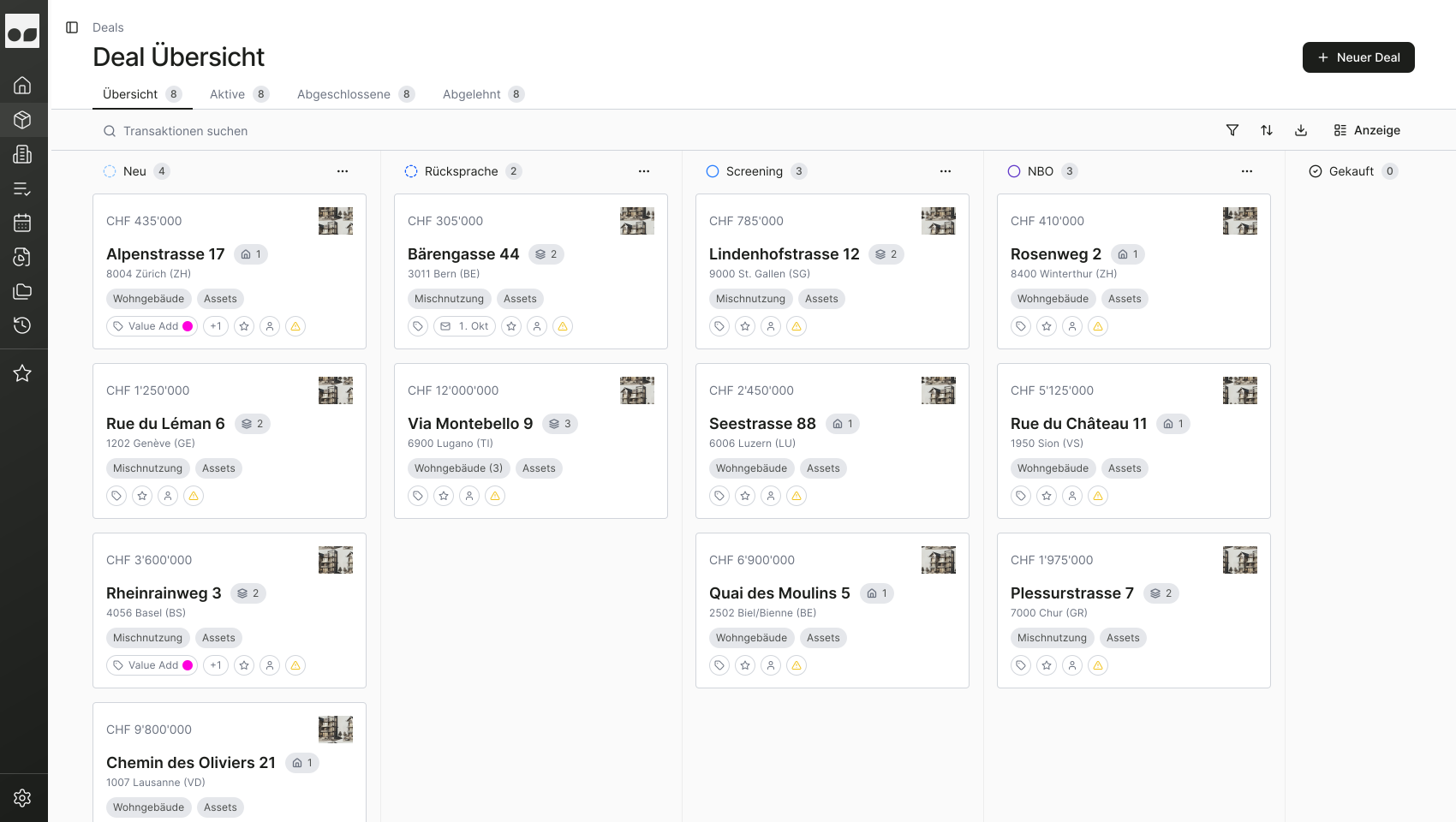



One pipeline per fund, per strategy, per acquisition profile.
Acquisitions in one flow, divestments in another. Each pipeline reflects your actual structure - not a generic template you have to work around.
Alpenstrasse 17
Hauptstrasse 25
Bergweg 8
—
—
—
Kanban, list, or map - your pipeline, your view.
Switch between views instantly. Kanban for pipeline meetings, list for sorting across hundreds of deals, map for geographic distribution. Same data, different lens.
Screening
Alpenstrasse 17
CHF 19M
Bahnhofstr. 1
CHF 32M
LOI
Bergweg 8
CHF 7.4M
Due Diligence
Seestrasse 12
CHF 14M
Stages that match your process, not the other way around.
Define what Screening, NBO / BO, and DD mean for your team. Rename them, reorder them, add new ones - the pipeline adapts to how you actually work.
Open a deal - see everything that matters.
Price, yield, area, stage, and team assessment - all on one screen. The data is already there because intake extracted it. No spreadsheet required.
Alpenstrasse 17
Kaufpreis
CHF 19M
Angebotspr.
Nettomiete
CHF 98k
p.a.
Rendite
4.8%
Netto
Fläche
1'240 m²
Nutzfläche
Explore the platform
01Deal Intake
Every deal, structured from the first email.
02Pipeline
Run your pipeline meeting from one live view.
03Analysis
One deal, one workspace. Everything in context.
04AI Due Diligence
Upload the documents. Get the findings.
05Collaboration
One place for your team and your counterparties.
06Reporting
Reports for management and board committees.
07CRM
Every email, in the context of your deal.
08Document Generation
IC Memos, NBOs/BOs, rejections. Generated, not drafted.
FAQ
See AssetOS in action
A short demo to show how AssetOS fits into your workflow.